
How do I enter my access code into the app?
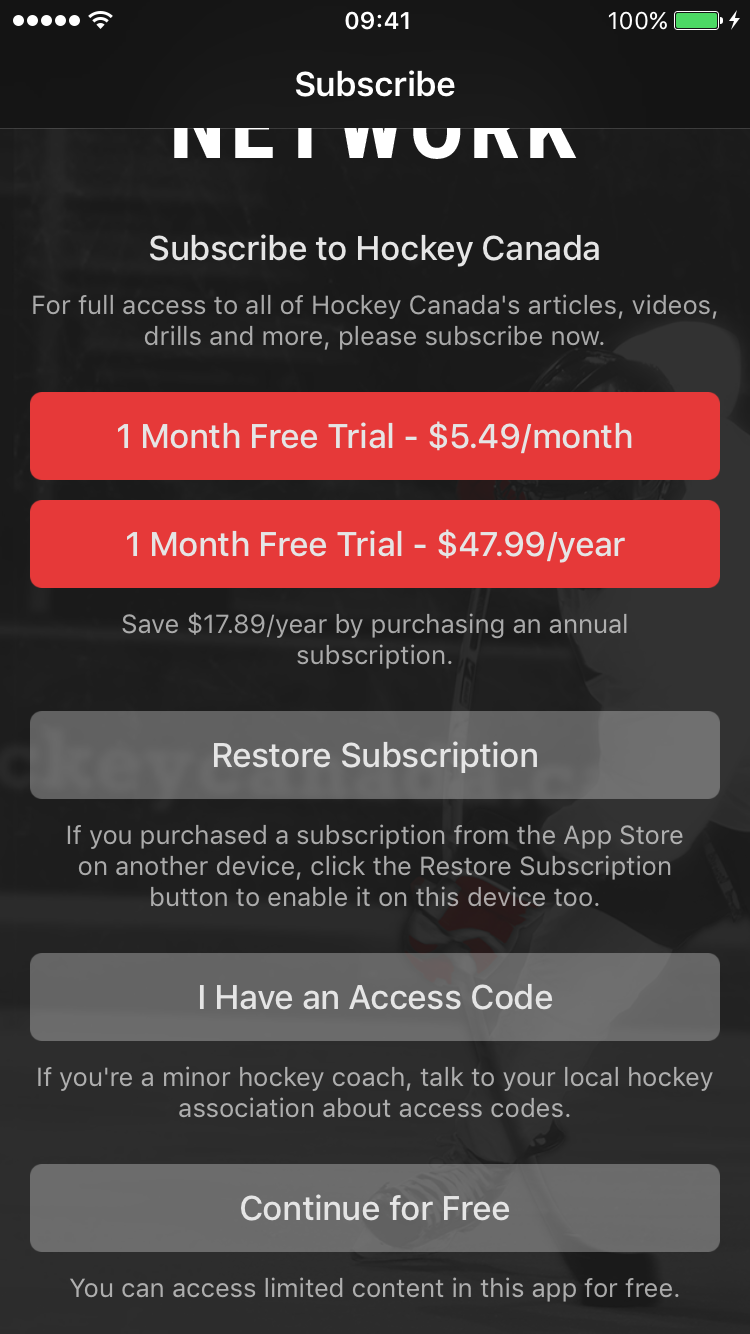
You can enter your access code on your iOS device inside the app by clicking "I Have an Access Code" when you first create your account.
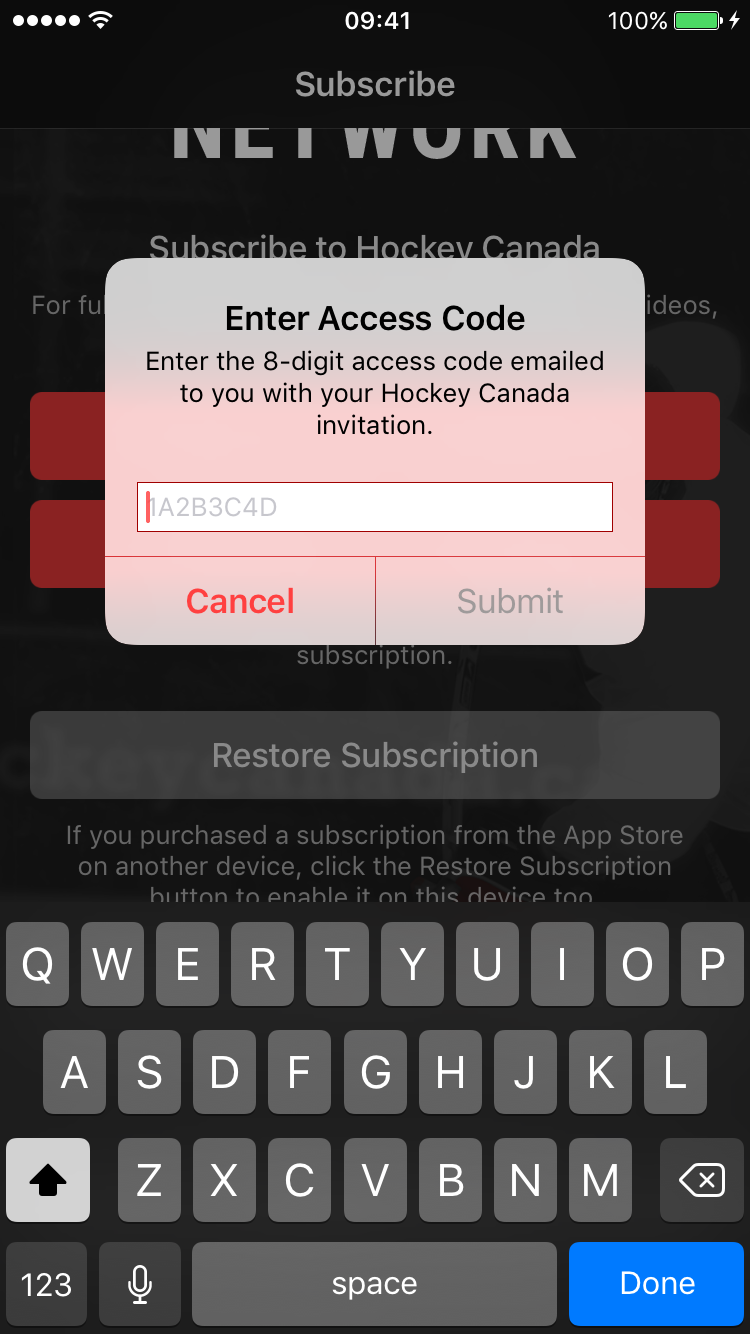
Enter the 8-digit access code you received. Click "Submit" when complete.
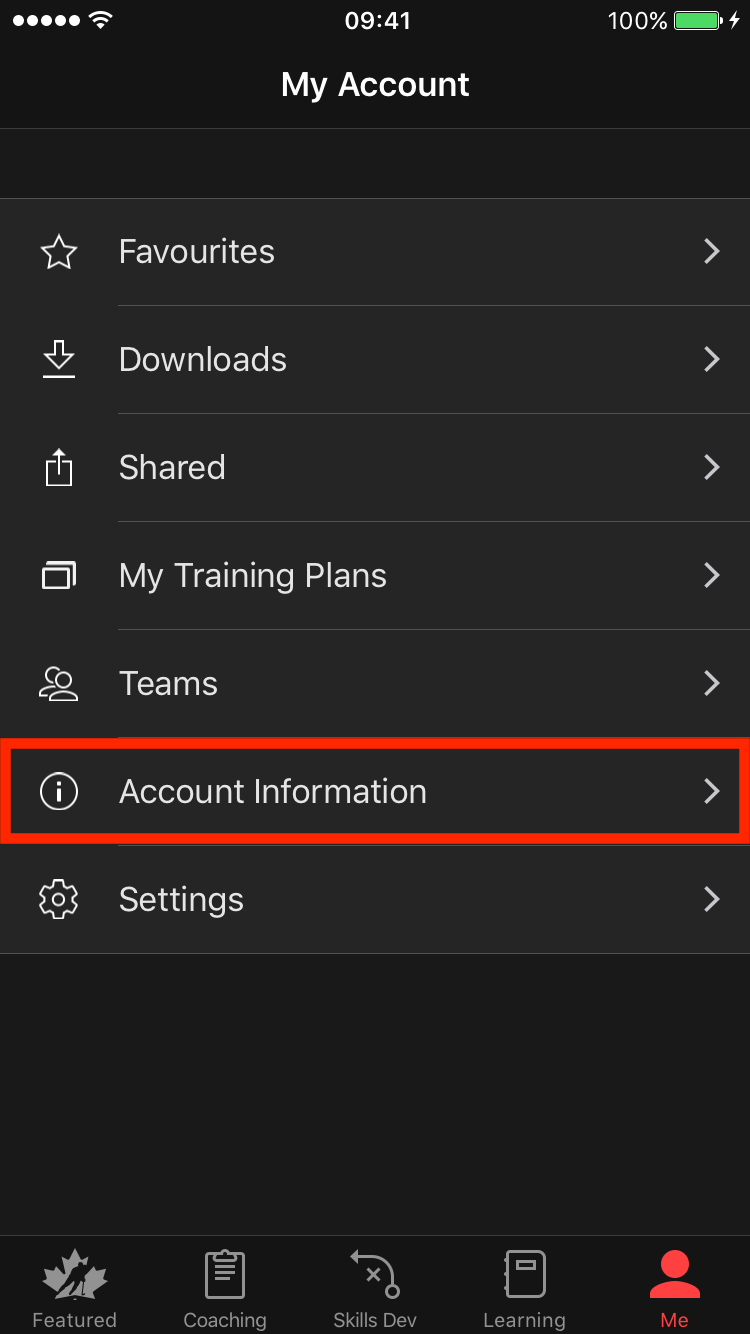
You can also use the “Me” tab and tap “Account Information.”
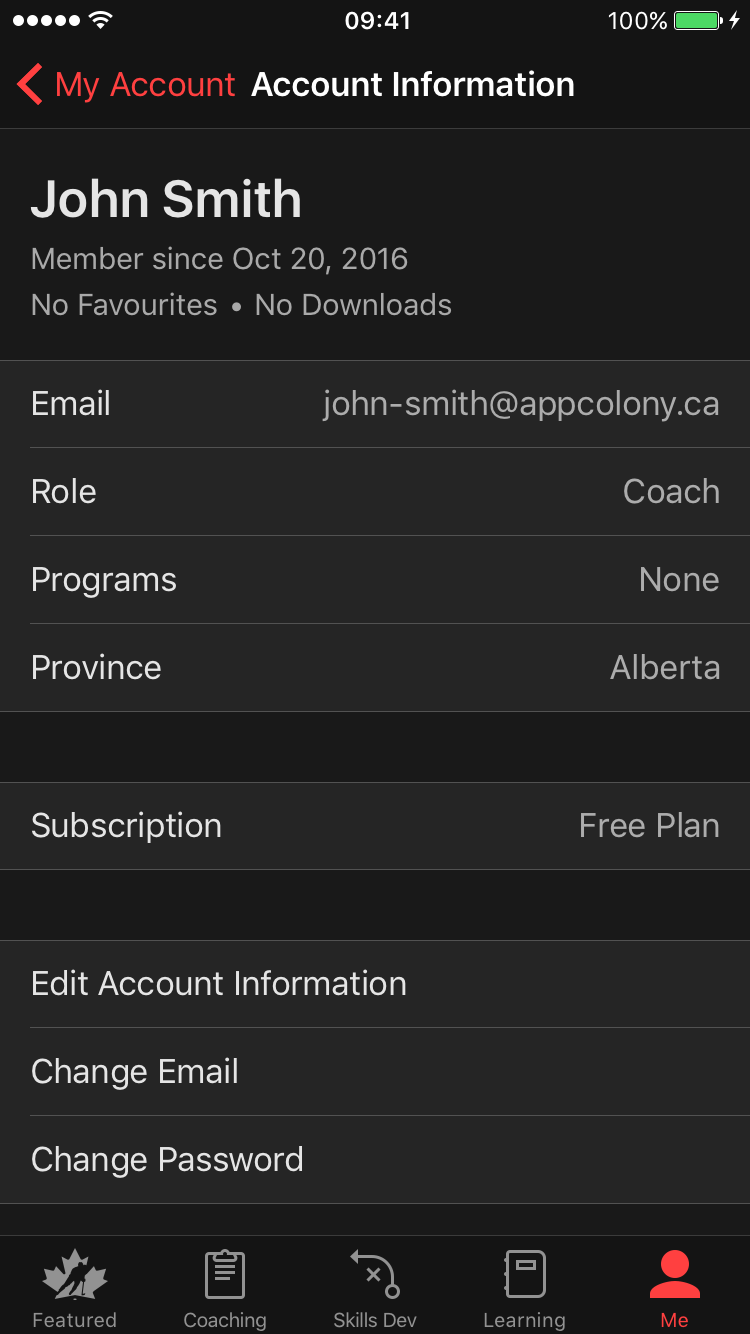
Click on "Subscription" to view your subscription options.
If you’d like to purchase access codes for your team or minor hockey organization, please visit HockeyCanadaNetwork.com.
Was this article helpful?
Related articles