How do I save and view my favourite videos and articles?

When viewing a video or article, tap the star icon in the top right corner to mark it as a favourite.

[@portabletext/react] Unknown block type "image", specify a component for it in the `components.types` prop

Tap the icon again to remove the article from your favourites.

[@portabletext/react] Unknown block type "image", specify a component for it in the `components.types` prop

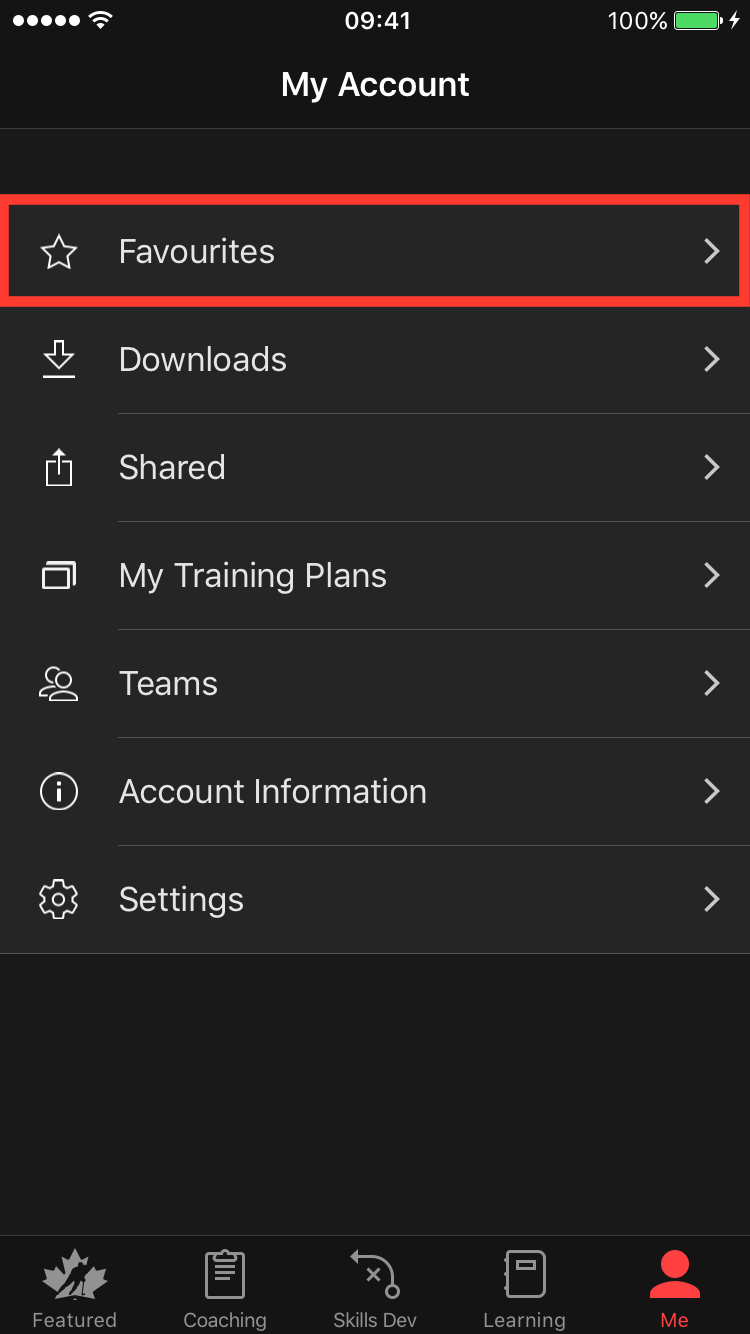
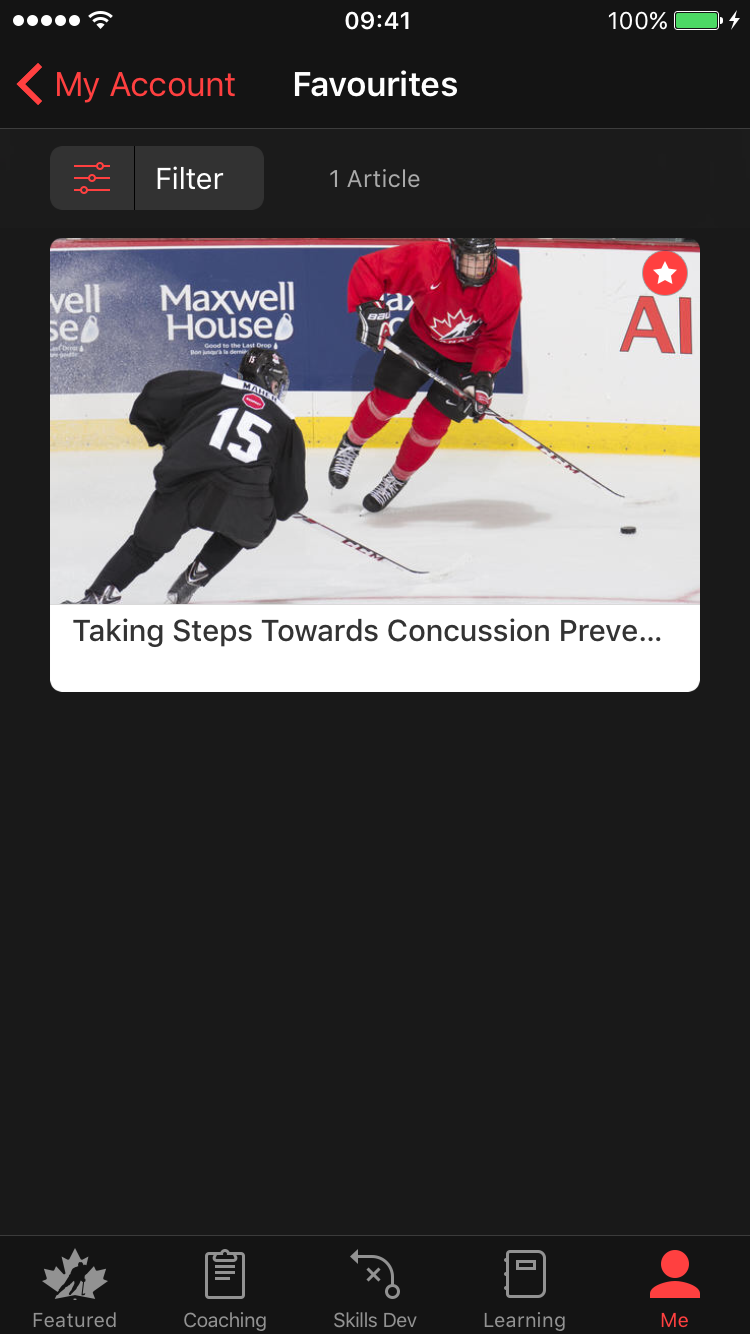
To view only the content you have favourited, go to the “Me” tab and tap on “Favourites.

[@portabletext/react] Unknown block type "image", specify a component for it in the `components.types` prop

Your favourite articles and videos will appear here.
[@portabletext/react] Unknown block type "image", specify a component for it in the `components.types` prop

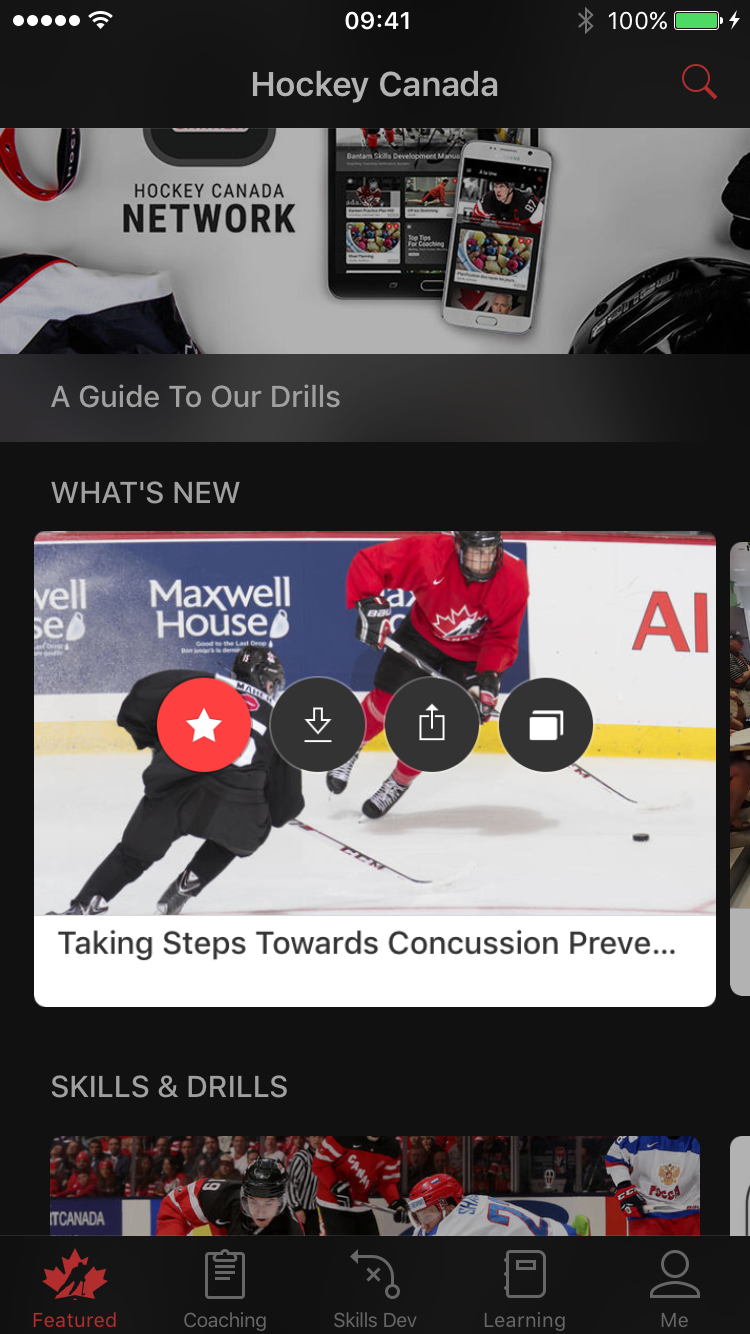
*Tip: You can also use Apple's 3D touch feature to quickly favourite an article or video. Click here to learn more about this Apple feature.
[@portabletext/react] Unknown block type "image", specify a component for it in the `components.types` prop

Was this article helpful?

Still need help?Submit A Ticket